Your tracker is probably doing more than you think
Most people buy a health tracker for the obvious reasons: steps, calories, workouts, sleep, and maybe heart rate. Then the device settles into a familiar routine, buzzing at the wrist, filling rings, and quietly collecting far more information than its owner ever opens. The interesting part is not that these features are hidden behind secret codes. They are usually sitting in menus, dashboards, companion apps, and notification settings, waiting for someone to turn them on or learn what they mean. Used thoughtfully, they can help you spot patterns in fatigue, adjust training before you overdo it, remember habits that actually support your day, and share useful context with a clinician or family member. They are not a replacement for medical care, and they should not turn your life into a spreadsheet. They work best when they translate small daily signals into decisions you can actually make before the week fully gets away from you. But if you already wear the device, it is worth knowing which overlooked tools can make it feel less like a step counter and more like a practical health companion.
A: They are best used for trends, reminders, and context rather than one-off diagnoses. If a reading worries you, compare it with how you feel and seek medical guidance.
A: No. Start with alerts that match your real needs, such as irregular rhythm, medication reminders, or safety check-ins, then add more only if they help.
A: It often blends sleep, recent activity, heart rate variability, and resting heart rate. Alcohol, stress, illness, travel, and hard workouts can all move it.
A: A sustained change can be a useful clue, especially when paired with fatigue or other symptoms, but it is not a diagnosis by itself.
A: Some brands lock deeper trend reports behind subscriptions, but many core alerts, reminders, safety tools, and basic summaries are available without paying extra.
A: Yes, if you treat it as a personal baseline. Comparing your number to someone else's is much less useful than watching your own long-term pattern.
A: Many can. The useful part is not only the reminder, but the ability to mark doses taken and notice repeated missed windows.
A: It depends on the device. Some watches need a nearby phone, while cellular models may contact emergency services or trusted contacts directly.
A: A quick check every few months is enough for most people, especially after app updates, new health goals, or changes in your daily schedule.
A: They react to every single number. The better habit is to look for repeat patterns and connect them to sleep, stress, training, food, and symptoms.
1. Resting heart rate trends can tell a quieter story
The resting heart rate number on your watch is easy to ignore because it changes slowly. That is exactly why it can be useful. A single reading rarely means much, but a week or month of unusually high morning numbers can reflect poor sleep, dehydration, heavy training, stress, travel, alcohol, or the early edge of illness. The hidden value is in the trend chart, not the daily badge.
Check whether your app shows resting heart rate by day, week, and month. If it does, glance at it when you feel unusually tired. You may notice that your body started waving a small flag before you admitted you needed a quieter day.
2. Breathing rate during sleep is easy to miss
Many trackers estimate respiratory rate while you sleep, then bury the result inside a wellness or sleep detail screen. For everyday owners, this can be more useful than another sleep score. Your breathing rate tends to stay fairly consistent when life is normal, so changes can stand out.
A higher-than-usual pattern after a hard week, a late meal, a stuffy room, or a mild cold can help explain why sleep felt shallow. The point is not to panic over one night. The point is to understand your baseline well enough that a real shift catches your attention.
This feature is especially helpful when you stop reading sleep as a single grade. A night can look fine on total hours and still feel rough because breathing, awakenings, room temperature, or restlessness changed. Breathing rate gives you another angle on the same story.
3. Heart rate variability is not just for athletes
Heart rate variability, often shown as HRV, sounds like a metric built for marathon plans and training camps. In practice, it can help ordinary users understand recovery. HRV reflects tiny timing differences between beats, and many devices use it as one input for stress or readiness estimates.
The trap is comparing your HRV to someone else’s. A lower number is not automatically bad, and a higher number is not a trophy. What matters is your usual range. If your app gives you an HRV trend, watch how it behaves after short sleep, intense exercise, emotional stress, or a few days of better rest. The pattern can teach you when your body likes more space.
4. Irregular rhythm notifications deserve a calm setup
Several mainstream wearables can watch for signs of irregular heart rhythm and notify you when patterns match what the device is designed to detect. Many owners never enable the feature because it lives in a health app setup flow, requires age confirmation, or asks for extra permissions.
If your device supports it, read the setup screen carefully and turn it on only with the right expectations. It does not monitor every heart condition, and it does not replace a medical device. Still, for people who qualify, it can be a meaningful background alert that prompts a real conversation with a clinician.
It is also worth learning where the device stores its rhythm history or export option. If you ever need to discuss an alert, dates, symptoms, and recorded readings are more helpful than a vague memory that the watch buzzed sometime last month.
5. Temperature variation can add context to your week
Skin temperature features can sound futuristic, but most wrist trackers are not giving you an instant thermometer reading. They usually show variation from your baseline, often measured overnight. That makes the feature easy to dismiss until you learn what it is good for.
Temperature variation can add context when paired with sleep, cycle tracking, workout recovery, or illness symptoms. A warmer night after a late dinner is not a crisis. A repeated shift alongside fatigue, poor sleep, and a higher resting pulse is more informative. Think of it as one more clue on the dashboard, not a verdict.
6. Recovery scores can keep ambition honest
Readiness, body battery, recovery, strain balance, and similar scores all try to answer a simple question: how prepared does your body look today? The math varies by brand, but the inputs often include sleep, recent activity, resting heart rate, HRV, and stress estimates.
These scores are imperfect, yet they can prevent the classic tracker-owner mistake of chasing yesterday’s goal no matter what. If your recovery score is low after a late night, use it as permission to walk, stretch, or do an easier session. If it is strong after good sleep, that may be a better day for the harder workout. The feature works best when it starts a conversation with your own judgment.
For people who are not training for anything, recovery still matters. A lower score can be the prompt to protect lunch, step outside, shorten a chore list, or go to bed before the household gets quiet. Health tracking is not only about workouts; it is also about spending energy with a little more awareness.
7. Guided breathing is more practical than it looks
Guided breathing tools often get ignored because they feel like a wellness extra. In reality, a two-minute breathing session can be one of the most usable features on the device. It is short, private, and available without opening a meditation app or finding headphones.
Try using it at a predictable trigger: before a difficult call, after parking the car, between meetings, or when you notice your shoulders rising. Some trackers show whether your heart rate settles during or after the session. That feedback can make the exercise feel less vague and more like a small reset you can repeat.
The trick is choosing a routine small enough that you will actually do it. A single guided session after the first work notification of the day may be more durable than a perfect mindfulness plan that depends on free time you rarely have.
8. Smarter movement reminders beat random buzzing
Move reminders are common, but many people disable them after a few annoying days. The missed opportunity is customization. Some apps let you set active hours, choose reminder windows, or silence alerts during workouts, sleep, commuting, or meetings.
Instead of treating the feature as a nag, tune it to your real day. A reminder at 10:50 before an hour of desk work may be useful. A reminder while you are driving or making dinner is just noise. When movement nudges match your schedule, they become less irritating and more likely to change behavior.
9. Safety check-ins are not only for extreme adventures
Safety features tend to be marketed around crashes, falls, and emergencies, so ordinary users assume they are for cyclists, runners, or older adults. Many trackers and watches also offer quiet check-in tools that can share your location with selected contacts if you do not respond after a set time.
That can be useful for a solo evening walk, a new trail, a rideshare pickup, a long drive, or a situation where you simply want someone to know you are okay. Set up emergency contacts before you need them. Also check whether the feature requires cellular service, a paired phone, or a paid plan, because assumptions matter when safety is involved.
Do a low-stakes test with someone you trust. Confirm what message they receive, how your location appears, and how to cancel the alert. A feature you have rehearsed once is much easier to use calmly than one you discover during a stressful moment.
10. Medication and habit reminders are more than alarms
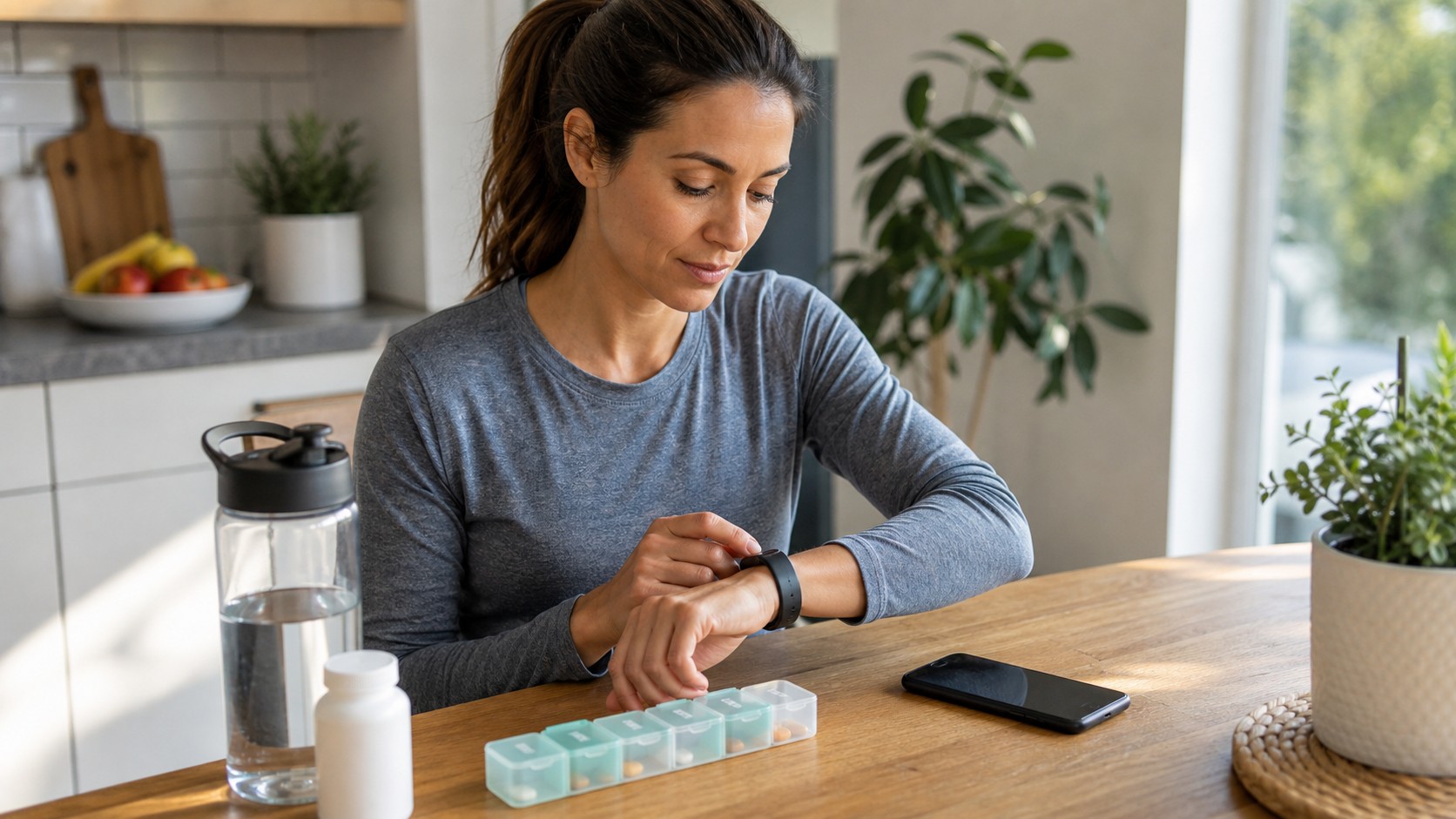
Medication reminders are easy to underestimate because every phone already has alarms. A tracker reminder is different because it is on your body, harder to miss, and often tied to a simple log. Marking a dose as taken can be useful when a busy morning blurs together.
The same idea applies to hydration, stretching, daylight, or bedtime prompts. The best reminders are specific and few. Ten alerts become background noise. One well-timed nudge for an important habit can quietly pay for the space it takes on your wrist.
If you use medication tracking, keep the wording plain and private enough for your lock screen. A reminder can say enough to guide you without announcing personal details to everyone nearby. Practical health features should make life easier, not make you self-conscious.
Use the data without letting it run the day
The most helpful health tracker owners are usually not the people who stare at every chart. They are the people who know which signals matter to them and ignore the rest. Choose a handful of features that support your actual life: better sleep, safer walks, steadier medication, gentler recovery, or fewer long sitting blocks.
Then give the features enough time to show patterns. A tracker becomes more useful after it learns your normal ranges, and you become better at reading it after you connect the numbers to real days. Notice what changed when you slept badly, traveled, skipped meals, trained hard, or felt unusually stressed. That context is where the device earns its keep.
A simple monthly review can be enough. Look at sleep timing, resting heart rate, HRV, workouts, reminders, and any unusual alerts. Write down two or three observations in ordinary language, such as poorer sleep after late caffeine or better recovery after easier evenings. That kind of note is easier to act on than a screen full of charts.
Also make privacy part of the setup, not an afterthought. Review connected apps, social sharing, location routes, research permissions, and family visibility. Hidden health features are most useful when you trust where the information is going.
Finally, keep the relationship sane. Your tracker can offer clues, reminders, and gentle accountability, but it cannot feel your body from the inside. If a number conflicts with symptoms, pain, dizziness, chest discomfort, or anything that feels serious, treat your body as the primary source and get appropriate care. The hidden features are tools for attention, not substitutes for attention.